The short answer
Keep a dated savings ledger that shows what went in, what came out, and how much is actually reserved for your goal today.
General educational guide. Sources checked September 10, 2026. Examples are illustrative; amounts should be adjusted to your household. Read our disclosure.
A useful savings tracker records a starting balance, dated deposits, dated withdrawals, and the amount still reserved for a named goal. Update it from completed transactions, then compare it with the money actually available. Coloring a progress bar can be encouraging, but the ledger underneath should explain the total.
Choose the free Excel savings tracker for automatic balances, the printable savings tracker PDF for handwriting, or the blank CSV for your own layout. PDF and CSV calculations are manual; the workbook calculates from the inputs you enter.
Choose a format and keep one clear ledger
Use one Excel copy per goal. Enter the goal, target, opening balance, and relevant dates in the labeled input area, then record completed deposits and withdrawals in the 100 transaction rows. Leave the calculated balance cells in place and check any input warnings before relying on totals. Keep entries in chronological order; the running balance follows row order.
The one-page PDF has 11 entry rows and spaces for the opening balance, target, closing balance, and remaining gap. Print at actual size on US Letter paper. For another page, carry the last closing balance into the next opening balance instead of recording it as a new deposit.
The CSV is an editable blank table without formulas. Add rows and calculate balances yourself, or use the workbook if you want those calculations supplied. Keep a separate copy when changing a goal’s name or target so you retain the earlier plan.
Name the goal and record your starting point
Write the goal’s name, target amount, desired date, and balance already assigned to it. Use an account nickname or “cash envelope” for the storage location; passwords and full account numbers do not belong on a printable worksheet.
Make the opening balance a separate entry. Existing savings count toward your goal, but they are not a new deposit made this month. If you begin tracking halfway through a month, record that start date so a later comparison uses the same period.
The CFPB savings-plan tool starts with a purpose, amount, and timeline. This tracker adds transaction history so you can compare that plan with what actually happened. For multiple expected expenses, first choose a manageable set of sinking fund categories.
Give every movement its own row
Use these fields on paper or in your spreadsheet:
| Field | What to enter |
|---|---|
| Date | The date the movement completed |
| Goal | The fund receiving or releasing the money |
| Description | A short reason, such as payday contribution or planned purchase |
| Deposit | Money newly assigned to this goal |
| Withdrawal | Money removed from this goal |
| Balance | Previous balance + deposit − withdrawal |
| Target and due date | The current plan, with changes explained in a note |
| Notes | Confirmation, correction, or reason for a changed goal |
A scheduled transfer belongs in your plan until it completes. Do not add it to the actual balance early. If you are unsure whether a transfer finished, mark it pending in a note and check the account record before updating the ledger.
Follow a deposit-and-withdrawal example
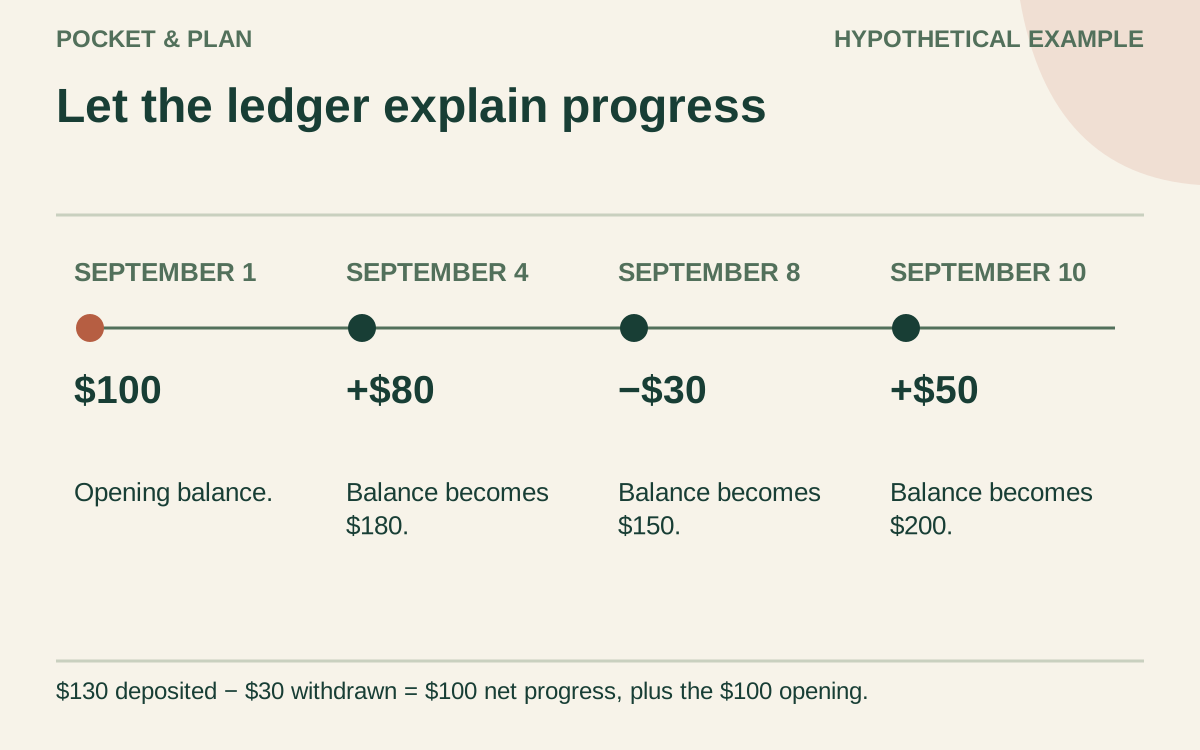
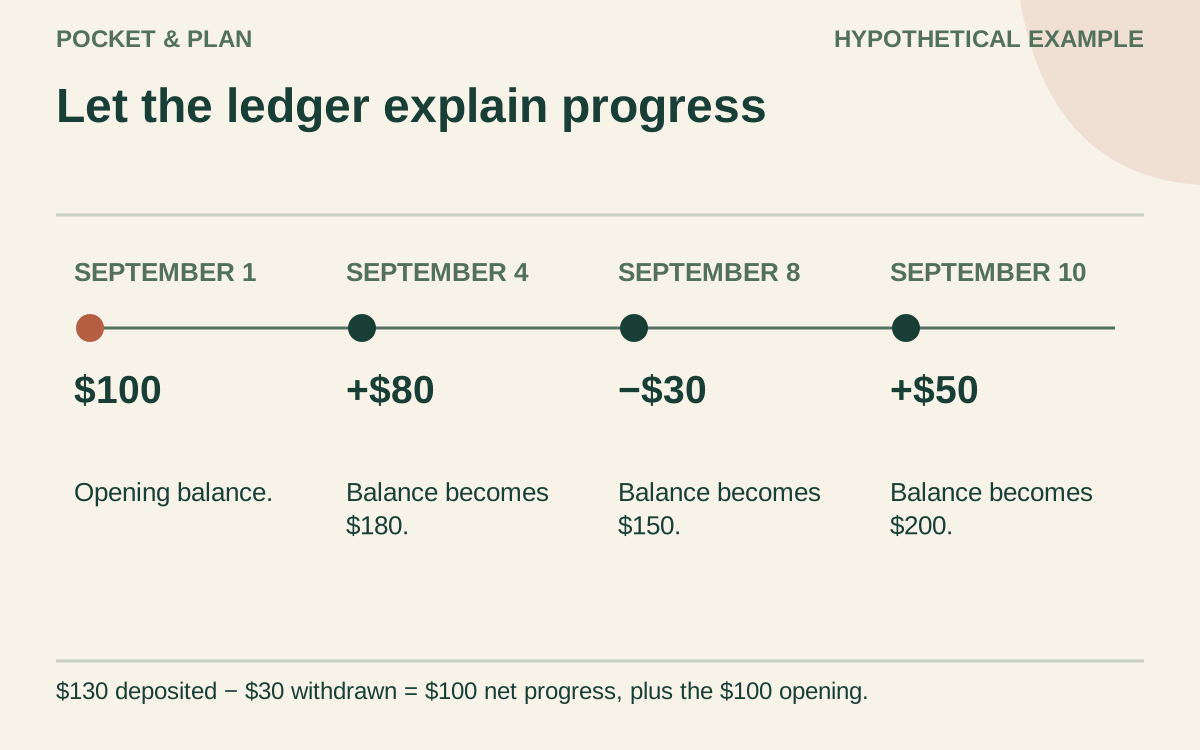
All amounts below are invented. Morgan is saving for a $500 household purchase and opens the tracker with $100 already reserved. The example assumes no interest or fees.
| Date | Description | Deposit | Withdrawal | Goal balance |
|---|---|---|---|---|
| September 1 | Opening balance | — | — | $100 |
| September 4 | Payday contribution | $80 | $0 | $180 |
| September 8 | Money needed for another purpose | $0 | $30 | $150 |
| September 10 | Additional contribution | $50 | $0 | $200 |
Deposits total $130. Withdrawals total $30. Net progress for this period is $130 − $30 = $100, leaving $100 opening balance + $100 net progress = $200 reserved. The remaining gap is $300.
Calling the $130 deposit total “new savings still available” would overstate the result by $30. Keep gross contributions and net change separate. If interest or a fee later posts, record it explicitly as an adjustment with its reason; do not silently change the balance or label interest as a contribution from income.
Separate moving money from increasing savings
Transferring $100 between two accounts that both hold the same goal’s money does not increase that goal by $100. Update the storage note or record matching transfer entries that cancel across the goal. Otherwise, you may count the same dollars twice.
Reassigning money between goals also needs two sides. If $40 moves from a gift fund to a repair fund, subtract $40 from gifts and add $40 to repairs. The repair goal advances, but the combined amount reserved across both goals stays unchanged.
The tracker measures assigned savings. It does not calculate household net worth, credit card debt, or money safe to spend from checking. A contribution made while another balance is being borrowed is not proof that the household’s overall financial position improved.
Check the bank balance without treating it as spare money
Suppose an account holds $900: $200 for Morgan’s purchase, $400 for an annual bill, and $300 for other purposes. The purchase tracker should show $200, not $900. The total assigned across all funds must agree with the account money supporting those assignments.
Check checking-account timing separately before contributing. Upcoming bills and pending payments can already have a claim on that money. The CFPB emergency-fund guide advises monitoring balances around automatic savings transfers to avoid transferring more than checking can support. Use your bill calendar alongside the tracker.
Keep goal changes visible
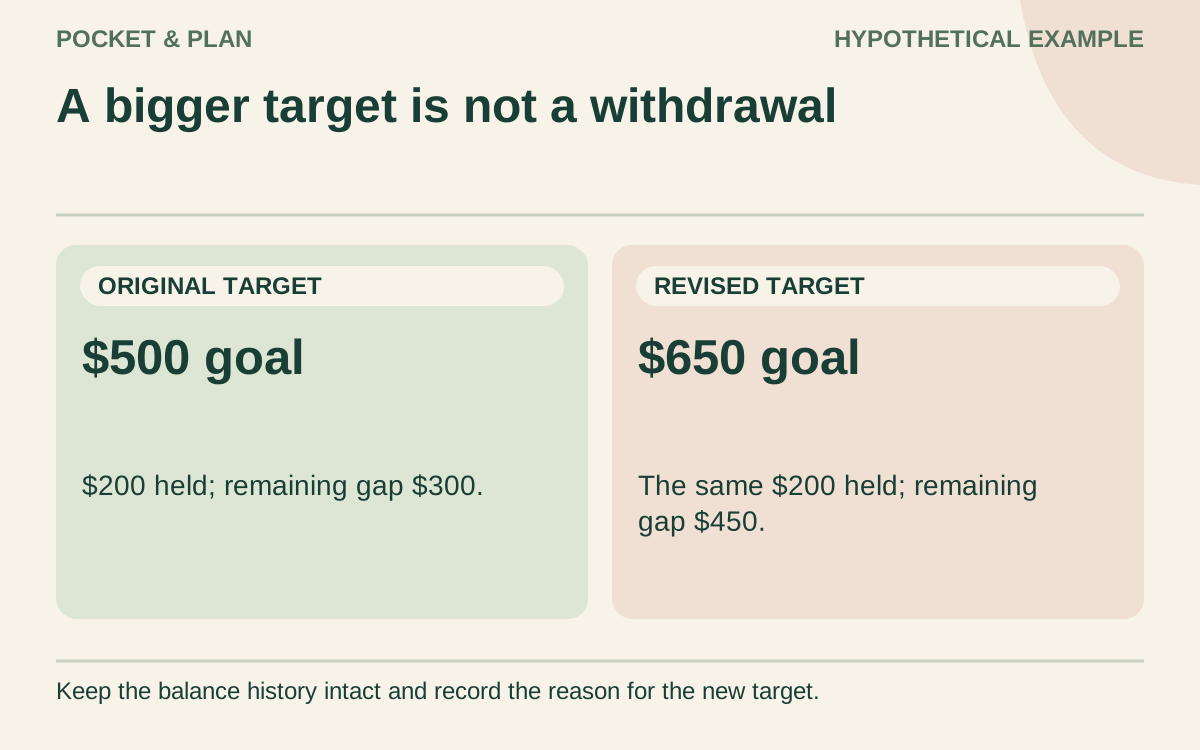
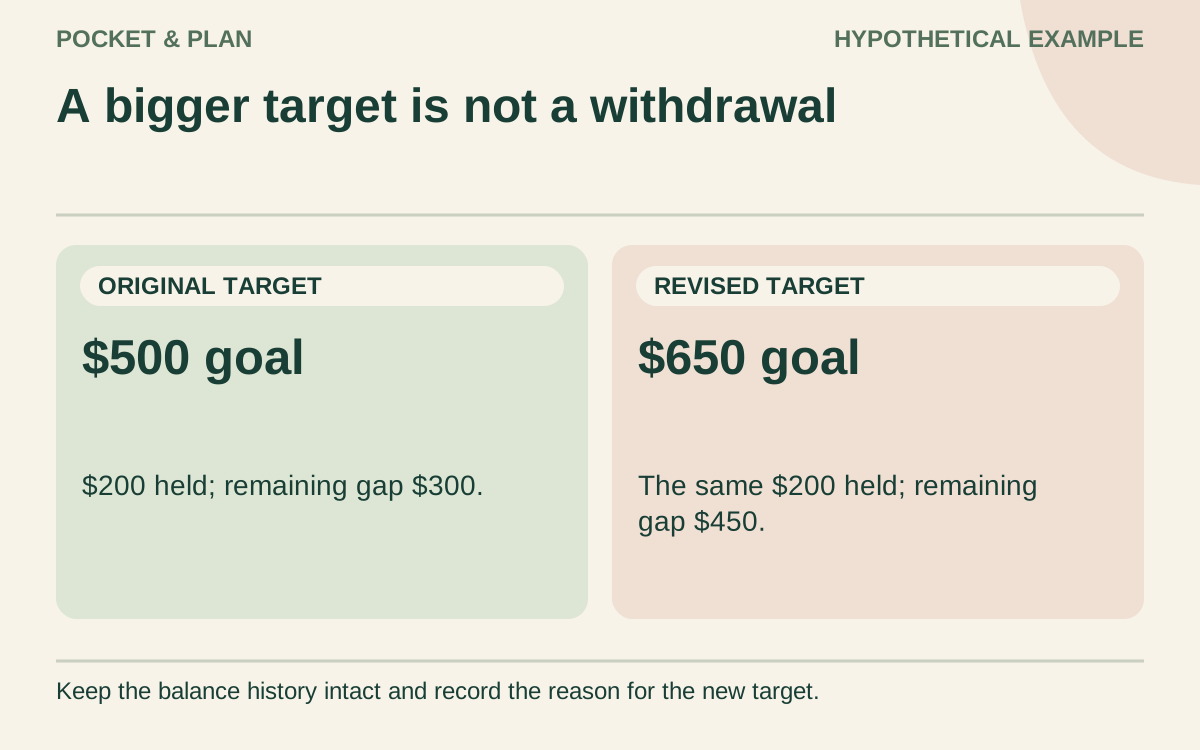
If Morgan’s price estimate rises from $500 to $650, add a dated note with the old target, new target, and reason. The $200 balance remains $200; the remaining gap becomes $450. Lower progress toward a larger target is not a withdrawal.
With five monthly contributions remaining, $450 ÷ 5 gives $90 per month, before interest, fees, or further withdrawals. Use the savings planner to compare another timeline. If that contribution does not fit, revise an optional purchase or date instead of entering money that is not available.
For a trip, use the vacation budget checklist to separate the full trip cost from deposits already paid and money still reserved. Then track the unspent trip fund here; a completed booking payment is a withdrawal, not cash still available for another booking.
Close each check-in with four checks
- Confirm every new entry against completed activity.
- Recalculate the balance, including withdrawals and adjustments.
- Match the combined fund balances to the money supporting them.
- Record the next review date and any changed target or deadline.
When a goal is spent as intended, record the withdrawal and mark the purpose complete. Keep that history instead of erasing it to protect a progress streak. The useful record shows both saving and using the money.
Sources & verification
These primary reference sources support the guide. Worked examples are our own illustrations, not national averages or reported personal results.
- CFPB — Savings plan tool ↗Checked September 10, 2026
- CFPB — An essential guide to building an emergency fund ↗Checked September 10, 2026
Published · Last substantive update .
Found a factual error or a calculation that needs checking? Suggest a correction by email with this guide's link. The link opens a draft in your email app; you send it yourself. Contact details · Corrections policy