The short answer
Turn last month's transactions into a practical next-month plan by reconciling balances, separating transfers, and checking the dates money is needed.
General educational guide. Sources checked September 10, 2026. Examples are illustrative; amounts should be adjusted to your household. Read our disclosure.
A monthly money reset closes the previous month’s records, identifies money already committed, and sets a dated plan for the month ahead. Start with actual transactions, check spending against the old plan, and carry unresolved bills forward. Finish with specific amounts, payment dates, and one next review date.
You do not need a fresh budgeting app or a perfect month to do this. A statement, your existing worksheet, and a calendar are enough to begin. The checklist below connects those records so a new month does not hide unfinished business.
Download the monthly money reset PDF for the closing checklist, account reconciliation, category review, and next payment dates. Keep the actual spending review separate from the future cash-payment plan. This is a manual worksheet for handwriting, with no automatic calculations. Print on US Letter paper in the orientation shown on the file.
Gather records and choose a cutoff date
Use one consistent review period, such as September 1–30. Collect checking and savings activity, card transactions, cash-spending notes, pay records, bills, and your previous budget. Keep a separate list for transactions still pending at the cutoff; they need follow-up rather than an invented completion date.
The review follows the cycle in Consumer.gov’s budgeting guide: plan the month, record spending, compare the result, and use what you learned in the following plan. The reconciliation and card-payment examples here are our worksheet method, not a requirement imposed by that source.
If you share expenses, agree who will gather each record. A brief couples budget meeting can resolve unknown transactions without both people independently editing the same totals.
Reconcile each account before judging the budget
For each account, compare the opening balance, completed inflows, completed outflows, and closing balance. As a basic check:
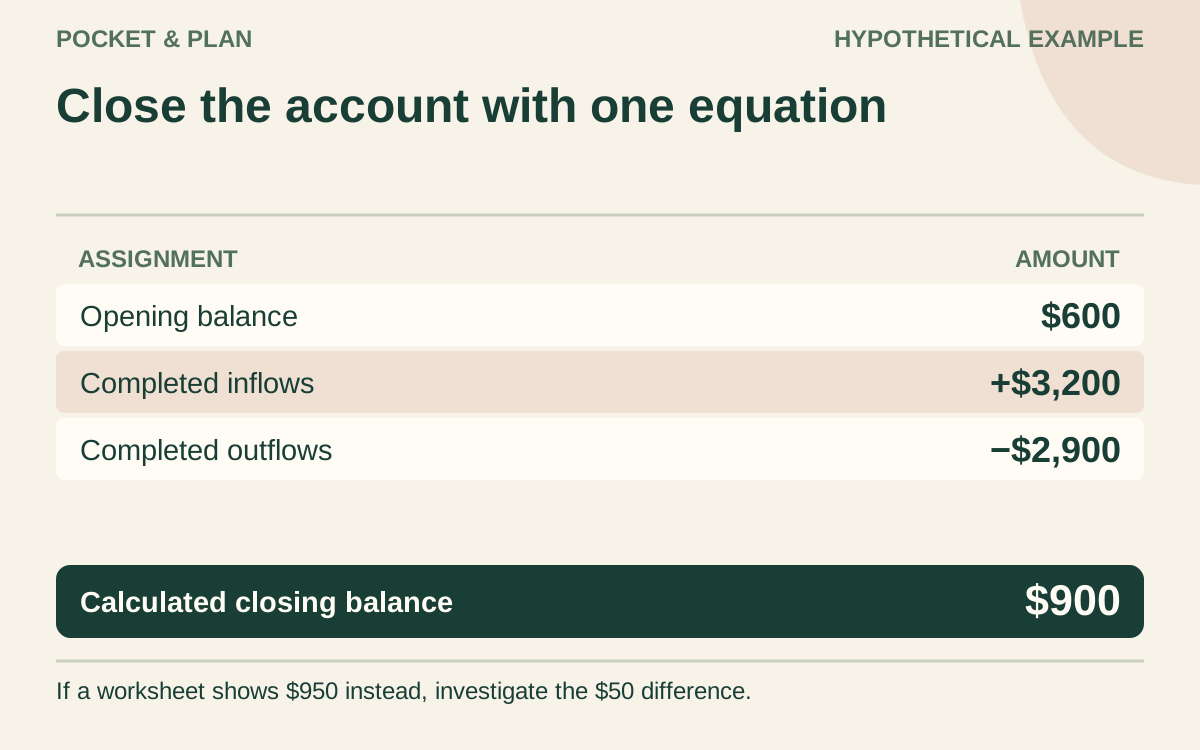
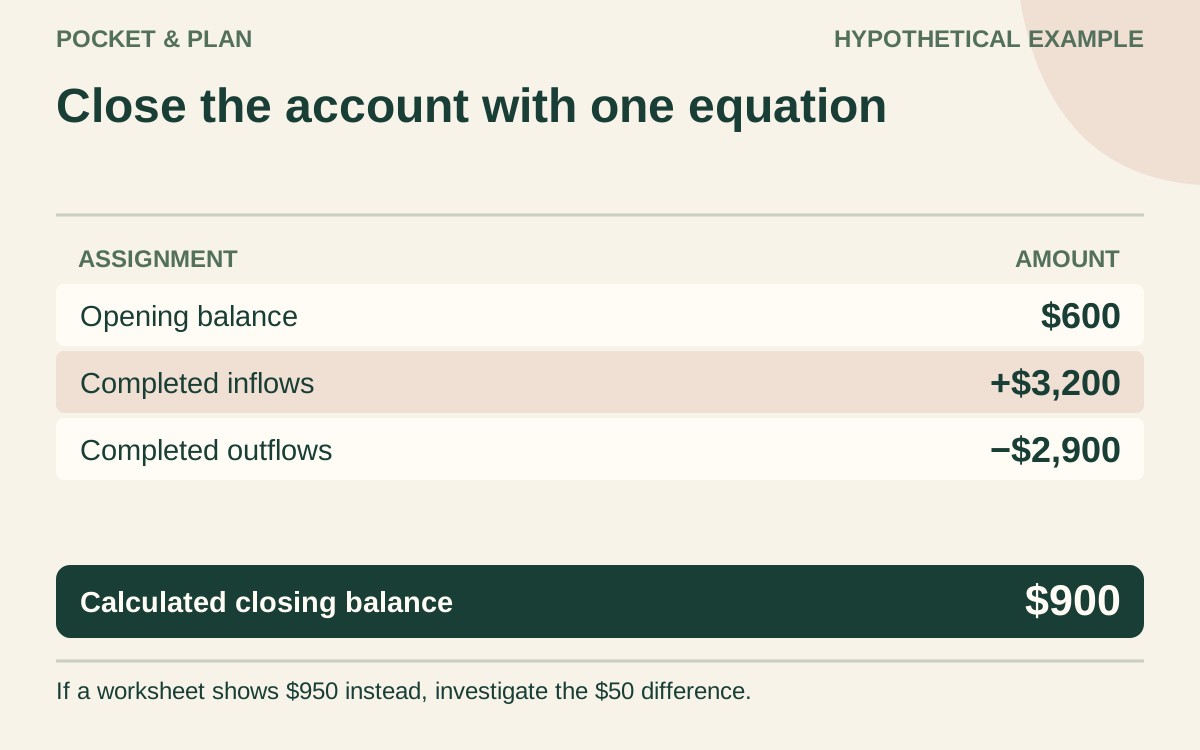
Opening balance + completed inflows − completed outflows = closing balance.
Here is a hypothetical checking account: $600 opening balance + $3,200 received − $2,900 paid out = $900 closing balance. If your worksheet shows $950, investigate the $50 difference. Possible causes include a missing transaction, duplicated import, fee, or a mismatch between posted and available balances.
Use the same balance type and cutoff throughout the calculation. Do not subtract a pending payment twice because it appears in both your own list and the bank’s available-balance adjustment. Keep transactions you cannot identify on an action list; a convenient category label does not resolve an unfamiliar charge.
Transfers between your own accounts affect the separate account reconciliations. They do not become new household income when they arrive in savings or checking.
Count card purchases once in spending totals
Keep your spending review separate from your cash-payment forecast. In a purchase-based spending review, classify a card purchase when you buy the item. The later payment to the card reduces checking and the card balance; it does not buy the same item again.
For example, suppose this month includes $120 of groceries charged to a card and a $300 card payment. If $180 of the payment settles earlier purchases and $120 settles those groceries, the current grocery spending is $120. Adding the whole $300 payment to the same current-spending total would count the groceries again and mix earlier spending into this month.
The cash forecast must still reserve the full $300 when it will leave checking. Label it clearly as a card payment. Record separately posted interest or fees once in the spending review and reconcile them with the statement. If you carry a balance, keep its opening and closing amounts visible; a spending-category report alone will not explain debt changes.
Compare planned amounts with actual amounts
Review the largest differences first. Use a small table, with positive variance meaning spending above plan:
| Category | Planned | Actual | Actual minus plan |
|---|---|---|---|
| Groceries | $400 | $445 | +$45 |
| Transportation | $160 | $145 | −$15 |
| Optional purchases | $100 | $80 | −$20 |
| Total | $660 | $670 | +$10 |
These invented figures show $10 more spending overall, not $45 more. Note whether each difference reflects a recurring change, a timing shift, or a one-time purchase. Adjust next month’s estimate when the evidence supports it; do not automatically turn every unusual expense into a permanent monthly allowance.
Identify money already reserved
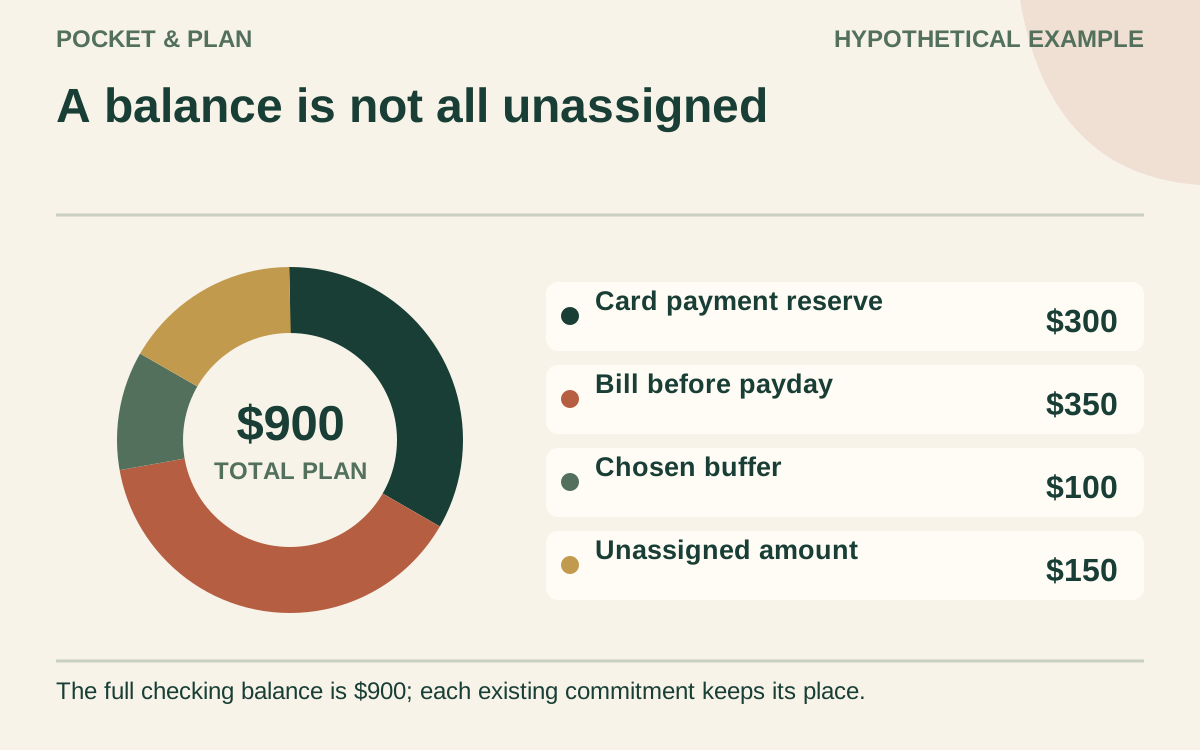
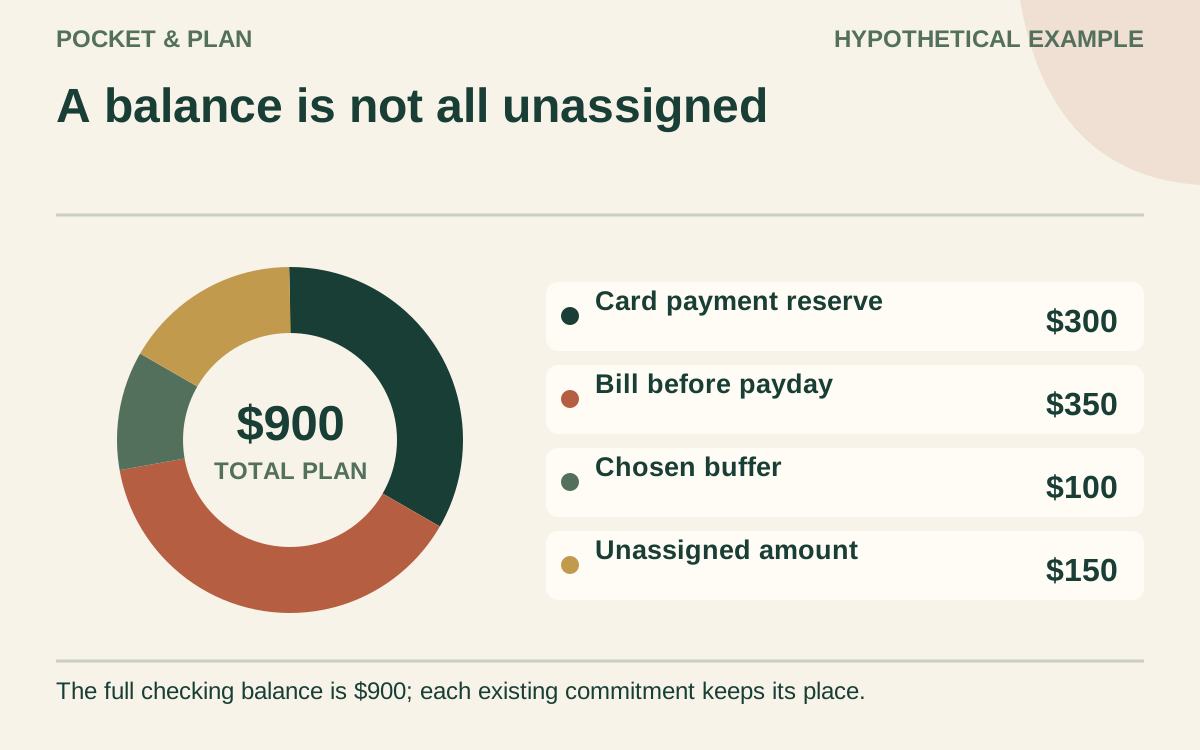
A $900 checking balance does not necessarily mean $900 is available for a new goal. Suppose it includes $300 reserved for the card payment, $350 for a bill before payday, and $100 kept as a chosen buffer. Under those assumptions, only $900 − $300 − $350 − $100 = $150 remains unassigned.
Use one list of commitments so the same reserve is not deducted twice. Keep money for annual bills and other sinking funds attached to its purpose when copying balances into the new month. A calendar change does not release those dollars.
Forecast the dates, then make one adjustment
Put expected paydays, payment dates, and essential spending needs on the next calendar. The CFPB cash-flow worksheet carries one week’s ending balance into the next, making timing visible. A positive monthly total can still include a shortage before payday.
For each period, use a consistent opening balance, add expected receipts, and subtract planned outflows. In a full-account forecast, include the actual scheduled payments even when you previously marked their money reserved; do not also deduct those reserves as a second outflow. Mark uncertain income and estimated bills so the forecast does not present guesses as confirmed funds.
Update your bill payment tracker, then enter next month’s category plan in the budget planner. Choose one concrete adjustment, such as revising groceries or moving an optional purchase. If the forecast is short, identify the affected date and the action needed rather than assuming later income will arrive early.
Repeat this closing checklist each month
- Match account totals and resolve unexplained differences.
- Carry pending transactions and unpaid bills forward with follow-up dates.
- Separate purchases, card payments, and transfers in the appropriate records.
- Compare actual spending with the plan and explain major differences.
- Preserve existing reserves and identify truly unassigned money.
- Forecast the next pay periods and flag any expected shortage.
- Record one adjustment, who owns it, and when to check it.
- Save or print the plan and schedule the next review.
Sources & verification
These primary reference sources support the guide. Worked examples are our own illustrations, not national averages or reported personal results.
- Consumer.gov — Making a Budget ↗Checked September 10, 2026
- CFPB — Creating a cash flow budget tool ↗Checked September 10, 2026
Published · Last substantive update .
Found a factual error or a calculation that needs checking? Suggest a correction by email with this guide's link. The link opens a draft in your email app; you send it yourself. Contact details · Corrections policy