The short answer
Keep recurring services in one reviewable list, separate the decision to cancel from confirmed cancellation, and translate mixed billing cycles into a usable budget.
General educational guide. Sources checked September 10, 2026. Examples are illustrative; amounts should be adjusted to your household. Read our disclosure.
A subscription tracker is a list of recurring services that shows the charge, billing frequency, next renewal, and your next decision. It should also keep cancellation requests separate from confirmed results. That distinction stops a service from disappearing from your budget before you have evidence that the renewal has ended.
Choose the free Excel subscription tracker for automatic monthly equivalents and annualized costs, the printable PDF for a paper record, or the blank CSV for your own spreadsheet. PDF and CSV calculations are manual. Keep the completed copy private, leaving out passwords, security codes, and full payment-card numbers.
Choose the format for your review
The Excel workbook has 25 service rows. Enter the review’s as-of date and use the labeled input cells; leave calculated cells in place. It supports monthly, quarterly, annual, and weekly billing. Weekly costs use 52 charges per year for comparison, so the equivalent is not a forecast of the exact number of charges in a calendar year. Verify other billing cycles separately.
A renewal flag helps you review a date while the workbook is open. It does not send a notification or cancel anything. A cancellation status does not automatically remove costs: check the effective date and any final charges first. Use your own calendar for reminders.
The PDF has eight handwritten service rows on one landscape US Letter page; print another copy when needed. Both the PDF and CSV let you record monthly equivalents yourself. The field table below describes the full tracking record; keep extra evidence or account links in a separate private note if your paper page has no room.
Build the list from actual account records
Review recent statements, merchant receipts, and subscription settings for services you recognize. Check enough history to look for annual charges as well as monthly ones. An app you have not opened recently may still have a billing agreement, while an app icon alone does not establish that you pay for it.
Record the merchant or billing platform named on the receipt. A streaming or storage service might be managed through the provider itself or through the platform where you subscribed; check your actual agreement rather than guessing where the cancellation control lives.
Separate an unfamiliar charge for investigation. Do not label it as an accepted subscription just to complete the table. The FTC’s guidance on unwanted subscriptions recommends contacting the company and keeping records of the request and later charges.
Use a template that ends with a next action
These fields work in a spreadsheet even if you begin with only three services. Split the columns across two notebook pages if that is easier to read.
| Field | What belongs there |
|---|---|
| Service and Plan | Recognizable name, plan, and billing merchant |
| Billing amount and Billing cycle | Current USD charge and monthly, quarterly, annual, or other cycle |
| Monthly equivalent | Manually calculated comparison amount |
| Next renewal | Verified renewal date; identify a trial end in Notes |
| Review or cancellation deadline | Your reminder or the merchant’s stated deadline; label which in Notes |
| Status | Keep, review, cancel requested, or cancellation confirmed |
| Official account or cancellation URL | The known provider or billing-platform address |
| Confirmation date | Date you received evidence of the result |
| Notes | Household owner, effective date, evidence location, taxes, and next check |
Leave an unknown date blank and write “verify date” in Notes. Do not turn last year’s billing date into a confirmed renewal without checking. Include applicable taxes in planning amounts where known; label estimates and pre-tax amounts so the total does not silently mix them.
Your decision date is a personal reminder, not a merchant deadline. The FTC’s cancellation guidance emphasizes reviewing the provider’s cancellation, renewal, and possible fee policies. Check those details before deciding how early to act.
Convert different billing cycles without losing the dates
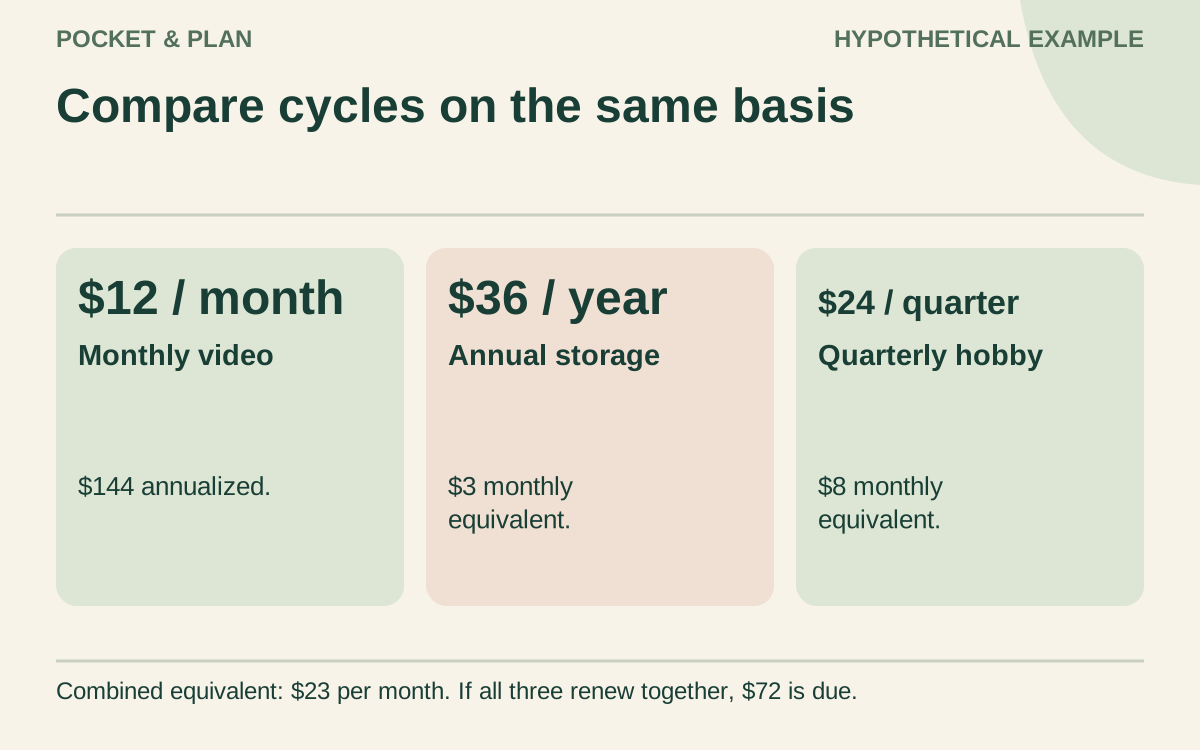
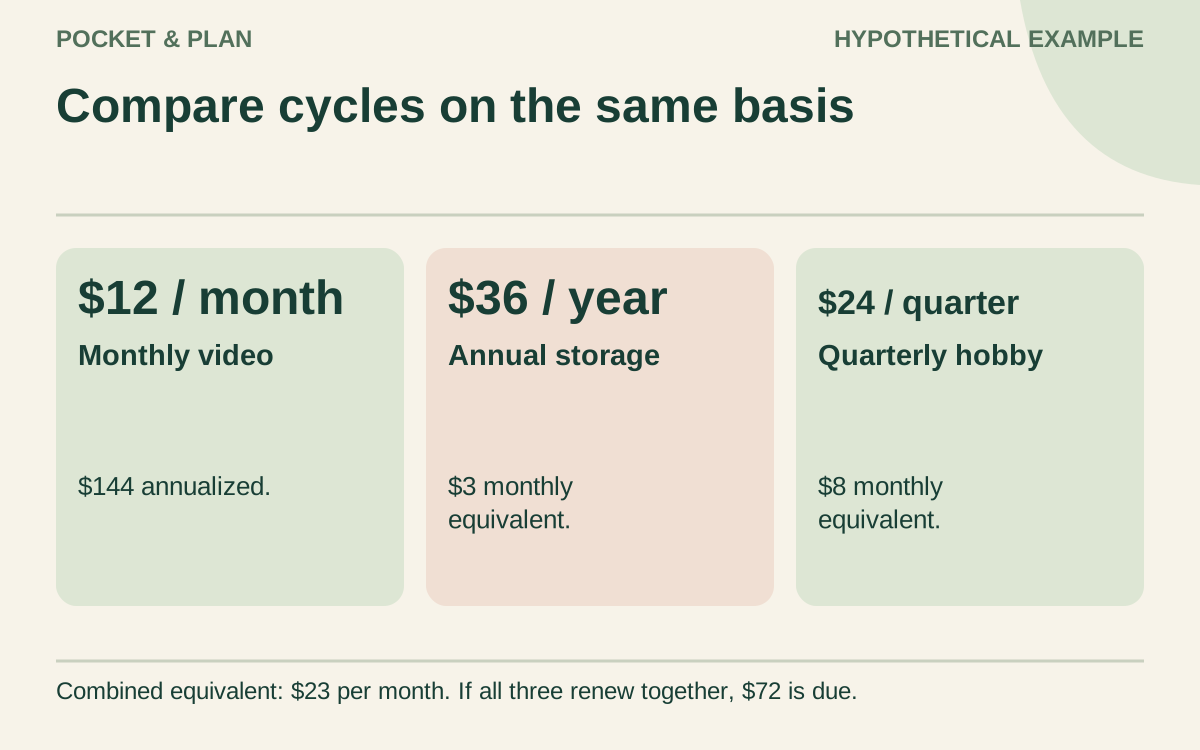
A monthly equivalent helps you compare recurring commitments. It does not change when money leaves the account. The invented amounts below assume unchanged prices for a full year and exclude taxes and additional charges.
| Hypothetical service | Charge and cycle | Annualized cost | Monthly equivalent |
|---|---|---|---|
| Video membership | $12 monthly | $144 | $12 |
| Storage service | $36 annually | $36 | $3 |
| Hobby membership | $24 quarterly | $96 | $8 |
| Total | Mixed cycles | $276 | $23 |
The calculations are $12 × 12 = $144, $36 ÷ 12 = $3, and $24 × 4 ÷ 12 = $8. The combined monthly equivalent is $23, but a month when all three actual charges fall due needs $72: $12 + $36 + $24.
Put the real payment dates into your bill payment tracker. If you set aside money for the annual or quarterly renewals, record those amounts in your sinking-fund plan. Counting both the reserve transfer and the later payment as fresh spending would overstate the cost; distinguish money reserved from money paid.
Make each renewal a specific decision
Before a renewal, ask what the household used, whether someone still depends on the service, and what would change if it ended. “Used twice for a particular project” is more informative than an automatic rule that every infrequently used service must go.
For shared subscriptions, identify the owner and the other users in your couples budget meeting. Check for files, benefits, or access that need attention before the service ends. A cheaper plan is an option to evaluate against the terms and actual needs, not an assumed saving.
For a trial, record the current charge separately from the price that would follow it. The FTC’s free-trial guidance advises reading the trial’s length and cancellation terms and setting a reminder before it ends. A $0 trial today is not evidence that a coming renewal will also cost $0.
Track cancellation through to confirmation
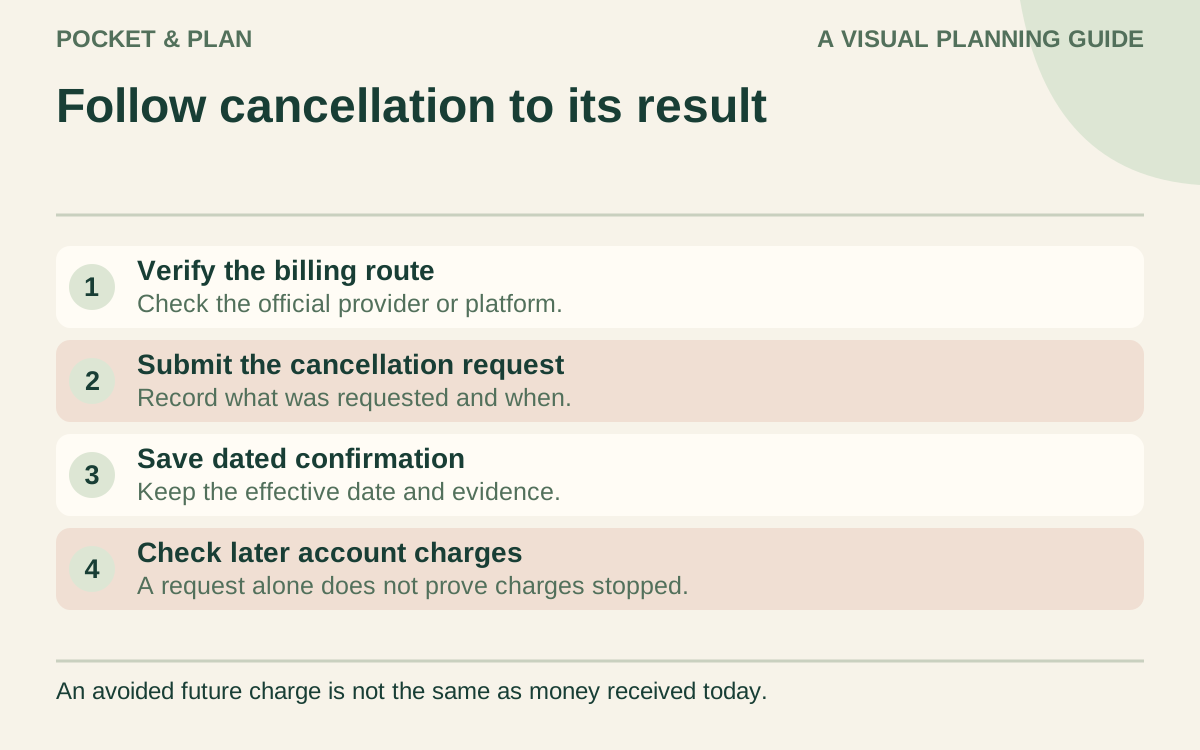
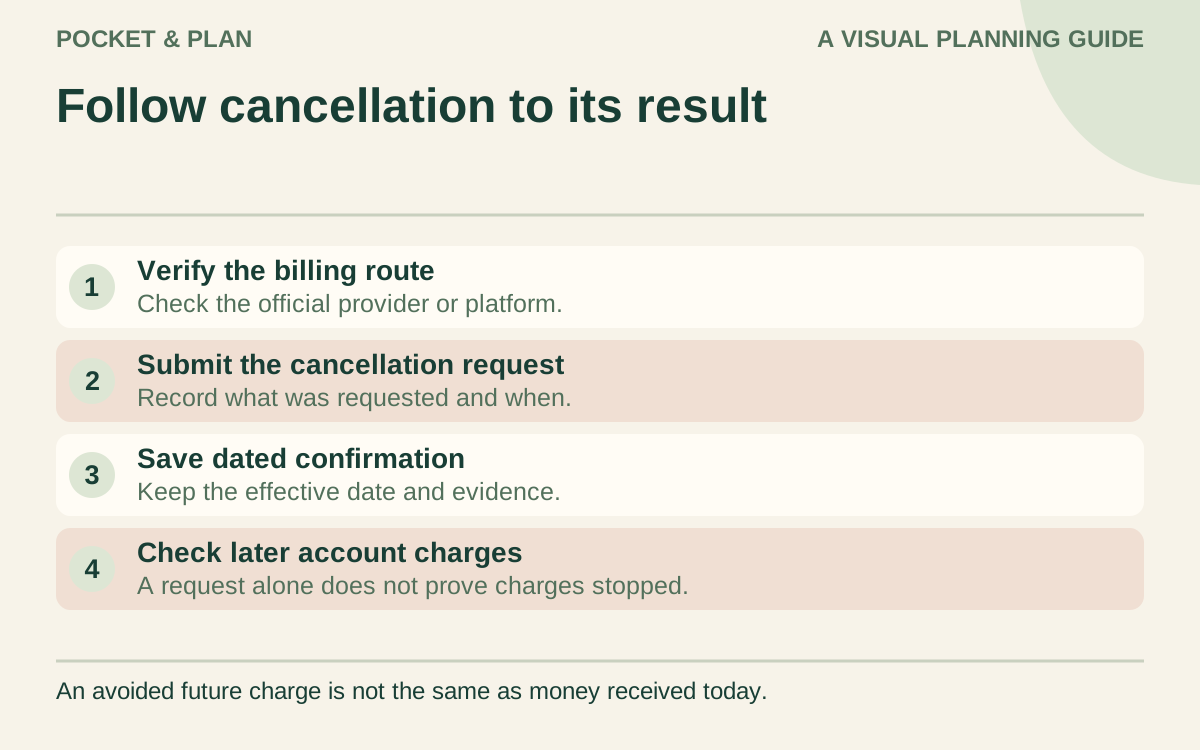
Use a short workflow you can repeat:
- Open the known merchant or billing-platform account directly and read the current instructions.
- Submit the requested cancellation through the appropriate channel.
- Save the dated confirmation page, email, or written conversation notes.
- Record the stated effective date and whether a final charge or access period remains.
- Check the relevant later account activity before closing the tracker entry.
If there is no confirmation, leave the status as “cancel requested” and add a follow-up date. Do not assume uninstalling an app or writing “cancel” in the spreadsheet changes a billing agreement. The tracker records your actions; it cannot perform them.
When charges continue after a cancellation attempt, the FTC recommends keeping the evidence and contacting the card issuer about a dispute. Follow the issuer’s applicable process and timing requirements. A request or dispute does not promise a refund or a particular outcome.
Count savings only when the charges actually change
Canceling the hypothetical $12 video membership would reduce a full future year by $144 only if all twelve expected charges are avoided and there are no replacement costs or fees. That annualized figure is not $144 available today.
After confirmation, adjust the future budget from the effective date. Keep any remaining billed amount visible. A short monthly review of open decisions and upcoming renewals lets the same tracker remain useful as services, prices, and household needs change.
Sources & verification
These primary reference sources support the guide. Worked examples are our own illustrations, not national averages or reported personal results.
- FTC — Getting In and Out of Free Trials, Auto-Renewals, and Negative Option Subscriptions ↗Checked September 10, 2026
- FTC — Tried to cancel a service but couldn't? Learn steps to take ↗Checked September 10, 2026
- FTC — How to stop subscriptions you never ordered ↗Checked September 10, 2026
Published · Last substantive update .
Found a factual error or a calculation that needs checking? Suggest a correction by email with this guide's link. The link opens a draft in your email app; you send it yourself. Contact details · Corrections policy