The short answer
Choose the sharing and recordkeeping arrangement your household needs, then assess three apps against the same budget scenario without assuming separate logins mean private data.
General educational guide. Sources checked September 11, 2026. Examples are illustrative; amounts should be adjusted to your household. Read our disclosure.
Choose a budgeting app for a couple by agreeing what both people will see, who can change it, and how you will check the records. Then compare the subscription and sharing arrangement with those requirements. Separate logins, separate financial accounts, and private transaction visibility are different features.
This comparison summarizes official documentation reviewed September 11, 2026. We did not open accounts, test bank connections, or run the apps with household data. It is a research-based selection guide, with no hands-on ranking, affiliation, or endorsement of these products. The evaluation steps below are for you to perform if you decide to try a service.
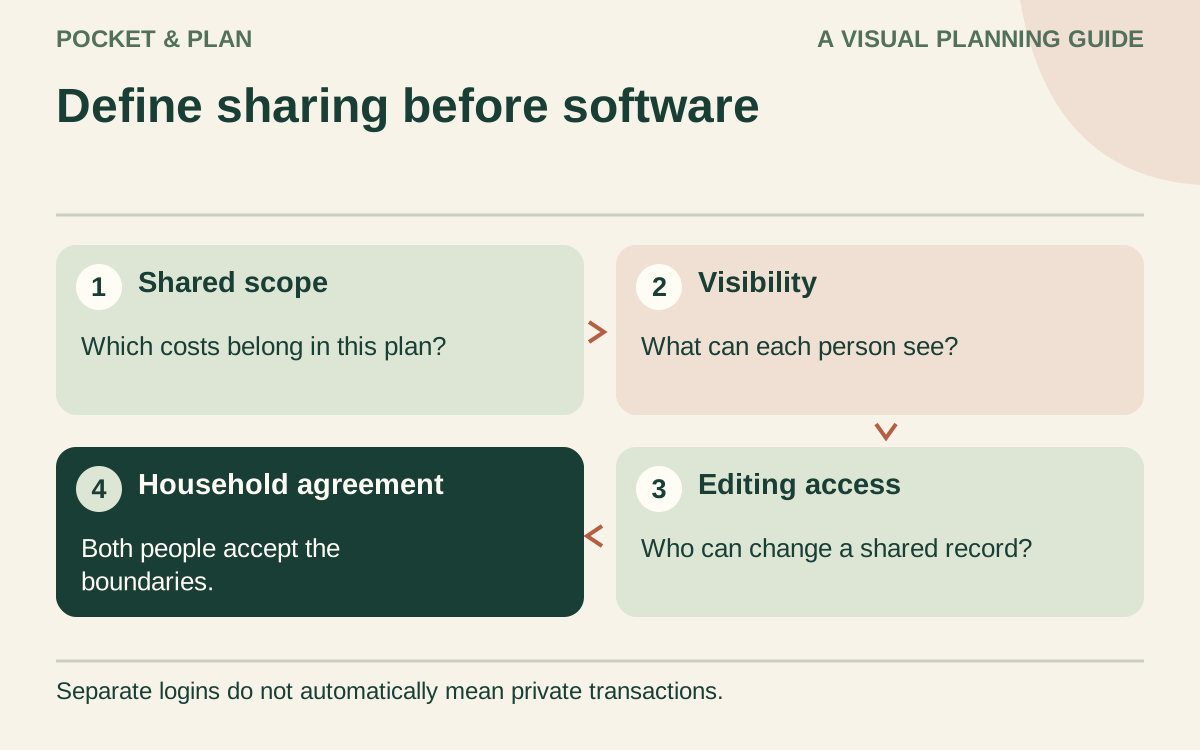
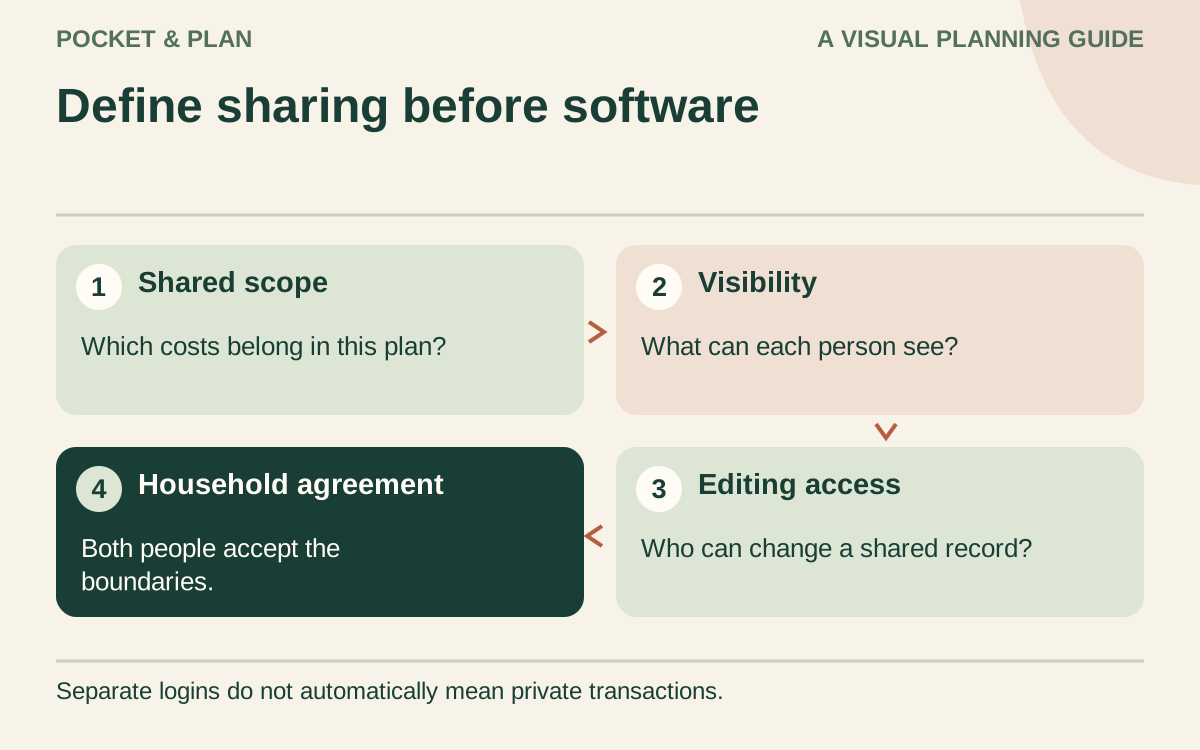
Decide what the household will share
Start with a short agreement: which expenses are shared, whether personal transactions should remain private, and who reviews uncertain entries. Our couples budget worksheet helps settle those choices before software settings become the default agreement.
Write down the devices both people use and whether bank linking is acceptable. If it is optional for your household, assess the manual workflow separately. Importing transactions can reduce typing, but the arrival of a transaction does not decide its category or whether it belongs in the shared plan.
Identify a nonnegotiable requirement, such as private personal spending or separate logins. An app that cannot support that arrangement should leave the shortlist even when another feature is attractive.
Compare the documented sharing arrangements
The table summarizes documented sharing arrangements. Device counts are not proof of private access controls.
| App | Documented sharing information | Important boundary for a couple |
|---|---|---|
| YNAB | Together covers up to six people with individual logins under one subscription | Group managers can access and edit members’ budgets; do not assume a member’s personal budget is private from the manager |
| Goodbudget | Partners share a Household using the same username or email and password; both can add transactions and change the budget | This is shared access, so do not treat records within that Household as private from your partner |
| Monarch | Household members have individual logins and share a budget under one subscription | Household members can view connected accounts and transactions; personal ownership labels do not create private accounts |
These details come from YNAB’s Together terms, Goodbudget’s sharing guide, and Monarch’s household guide. For Goodbudget, our privacy boundary is an inference from the documented shared credentials and editing access. None of these descriptions certifies a vendor’s wider security or data-handling practices.
Compare the amount you would actually be charged
Record the plan, billing period, renewal date, and checkout total. Annual pricing represents an upfront payment; an advertised monthly equivalent does not mean monthly billing.
| App | Official web pricing observed September 11, 2026 |
|---|---|
| YNAB | $109 USD paid annually or $14.99 USD monthly, plus tax where applicable |
| Goodbudget | Free plan at $0 with two devices; Premium lists $80 annually or $10 monthly with five devices |
| Monarch | Paid plans are offered; we could not verify a current amount, so check the plan and checkout directly |
The sources are YNAB pricing, Goodbudget pricing, and Monarch pricing. Confirm currency, tax, region, app-store billing, and renewal terms before subscribing.
For YNAB’s listed figures, twelve monthly charges would total $179.88 before applicable tax, compared with the $109 annual charge. That arithmetic does not make an annual commitment preferable if you have not established that the app suits both people. Goodbudget’s listed monthly Premium route totals $120 over twelve months versus $80 annually.
Use the same small household scenario
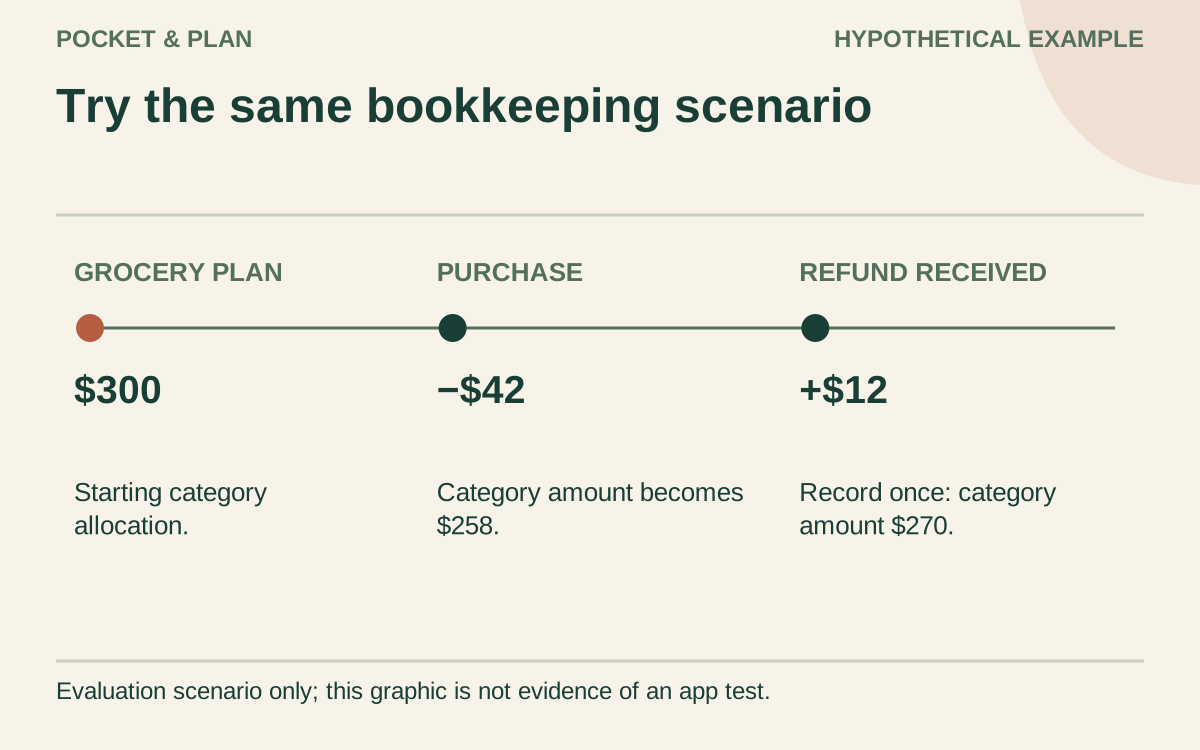
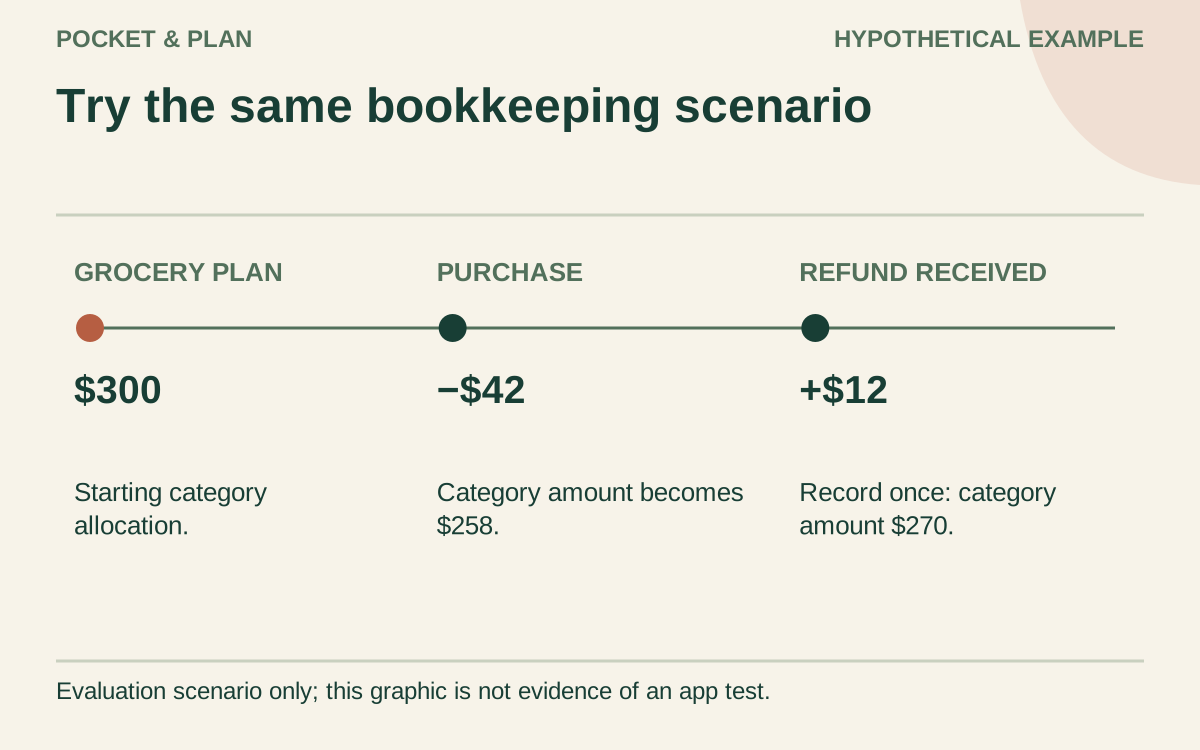
Prepare invented entries before considering real bank data. For example, assign $1,500 to housing, $300 to groceries, $120 to utilities, and $80 to a shared saving goal. The total is $2,000. The test should show both people the same assignments and make changes understandable.
Enter a $42 grocery purchase. The available grocery allocation should become $258 under this example’s category method. Keep an expected $12 refund in a note until receipt is confirmed, then record it once. After receipt, the example’s available amount is $270. A planned refund is not spendable money.
Also record a $100 transfer between two accounts already included in the same household plan. Check that it moves account balances without being counted as new household earnings or another purchase. These are expected bookkeeping outcomes to investigate, not claims that we observed every app produce them.
Finally, decide whether a private $25 personal purchase should be absent from the shared environment. Check the documented visibility rules before entering anything real; a hidden dashboard row is not necessarily hidden from another user.
Evaluate manual entry and leaving the service
All three document manual entry and downloadable records. The differences below matter when maintaining the plan or leaving a subscription.
| App | Documented manual entry | Documented export and limits |
|---|---|---|
| YNAB | Manual transactions work without Direct Import | Web export produces separate plan and transaction CSV/TSV files; targets and category notes are excluded |
| Goodbudget | Expenses can be entered on web, iPhone, and Android | Export CSV downloads transaction history; this documentation does not establish a complete restorable Household backup |
| Monarch | Manual transactions can be added to manual or synced accounts; entries in synced accounts do not change their balances | Desktop CSV downloads cover transaction and account-balance history |
Monarch’s manual-entry guide also says a matching bank import does not automatically remove the manual entry. Assign someone to check duplicates. YNAB documents matching imports with manual entries, but your household should still review them.
During your own evaluation, enter a cash purchase, correct it, and inspect a small export for dates, categories, and notes. Keep missing fields separately. A documented feature is evidence for your shortlist; the ease of using it on both devices remains untested here. Bank compatibility also needs checking with your institution.
Make the decision together and schedule its review
Use a short decision checklist:
- Both people understand the sharing boundary and accept it.
- The shared scenario can be reconciled without unexplained amounts.
- Manual corrections and the required export have been demonstrated by you.
- The actual charge and renewal conditions fit the household budget.
- Each person can complete the agreed weekly review on their device.
Record any unverified requirement as unresolved. Keep the worksheet approach if no app clears the requirements. If you subscribe, add the renewal to your subscription tracker and review the choice during a monthly money reset. Useful software supports your agreement; it does not create one or guarantee savings.
Sources & verification
These primary reference sources support the guide. Worked examples are our own illustrations, not national averages or reported personal results.
- YNAB — Pricing ↗Checked September 11, 2026
- YNAB — YNAB Together terms ↗Checked September 11, 2026
- Goodbudget — Plans and pricing ↗Checked September 11, 2026
- Monarch — Pricing ↗Checked September 11, 2026
- Monarch — Couples and households ↗Checked September 11, 2026
- Goodbudget — Sharing a budget with a partner ↗Checked September 11, 2026
- YNAB — Adding transactions ↗Checked September 11, 2026
- YNAB — Exporting plan data ↗Checked September 11, 2026
- Goodbudget — Recording expenses ↗Checked September 11, 2026
- Goodbudget — Downloading transaction history ↗Checked September 11, 2026
- Monarch — Creating manual transactions ↗Checked September 11, 2026
- Monarch — Downloading transaction or account history ↗Checked September 11, 2026
Published · Last substantive update .
Found a factual error or a calculation that needs checking? Suggest a correction by email with this guide's link. The link opens a draft in your email app; you send it yourself. Contact details · Corrections policy